
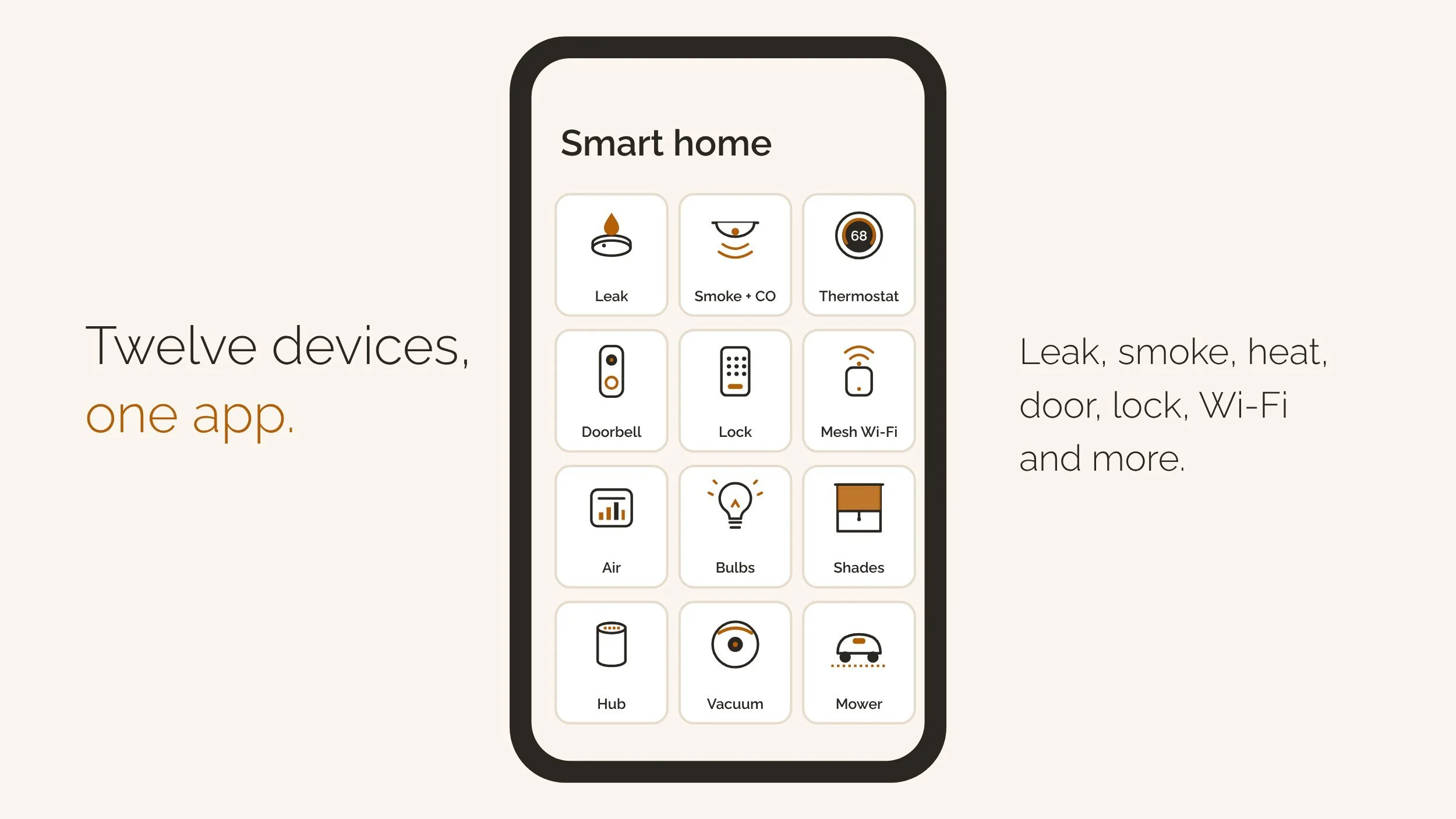
Short answer: A lot.
Real answer: Everything I run is there to cut friction and protect time. For most Seattle homes, start with leak sensors, smart smoke and CO alerts and a smart thermostat. Then add a doorbell and a lock.
Smart home starter planner
Which smart home upgrades should you start with?
Pick your home, your phone and what you want covered. You’ll see what to buy first, in order, what it costs, which hub runs it and a checklist. Nothing you enter leaves this page.
Your checklist
Device prices: HomeAdvisor’s home automation price list; smart smoke and CO alerts: First Alert SC5 and my own Ring receipts. Rebates: PSE and Seattle City Light. Hubs: Matter Alpha’s Thread border router list. Planning numbers, not a quote.
Clients ask me what smart tech I run at home. The honest answer is plenty. Here’s what’s worth it in a Seattle home, what I’d skip, and what happens to it all when the house sells.
Same thing, other names: smart home, smart house, home automation, connected home and smart home tech. Matter and Thread are the standards that make it all talk.
The basics
How a smart home works in 2026
Three layers: app, hub, devices
A smart home has three layers. You tap an app on your phone. The app talks to a hub. The hub talks to each device.
The hub is often a speaker or TV box you already own. It runs schedules even when your phone is off.
- Layer 1The appApple Home, Google Home or Alexa, on your phone.
- Layer 2The hubA speaker, display or TV box. With Thread, it’s a border router.
- Layer 3The devicesSensors, locks, lights and cameras, on Wi-Fi or Thread.
Matter and Thread, in plain words
Matter is the shared language. A Matter device works with Apple Home, Google Home and Alexa, so the brand matters less.
Thread is the wireless network many Matter devices use. It needs a hub called a Thread border router. Matter 1.5 added cameras and video doorbells in November 2025.
The big question
Is a smart home worth it? Start with the boring three
What it costs
Most devices cost less than people think. HomeAdvisor’s price list puts a thermostat at $70 to $280 and a leak sensor at $10 to $25.
The bars below show the usual range per device, before installation.
Bars show the top of each range. Smart smoke and CO alarms run about $130 (First Alert SC5).
The boring three come first
Here’s my rule. Protect the house first, then make it pleasant.
Leak sensors, smoke and CO alerts and a thermostat do the protecting. A doorbell, a lock and mesh Wi-Fi come next.
Where it falls short
Smart tech has real downsides. It needs Wi-Fi, batteries and updates. Some cameras want a monthly plan.
Brands also drop products. Buy fewer devices that do more, and keep a list of what you own.
My house
What I run at home
Safety
I run a layered setup: Ring for primary security and Lorex for redundant surveillance. Redundancy matters, especially on larger and semi-rural properties.
Ring flood and freeze sensors watch for water. An Airthings monitor nudges me to open windows, adjust filtration or let the house breathe.
Convenience
If a package doesn’t fit in the delivery room, I open the motorized gate when I see the courier arrive. No coordination, no notes taped to doors.
One door unlocks when I’m within 3 feet. Every door unlocks with a tap on my watch. Keys are now mostly symbolic. (How I choose smart locks.)
Motorized interior and exterior blinds handle the sunlight I’d never adjust myself. In summer, the exterior blinds stop heat before it reaches the glass.
Entertainment
My smallest property is an acre, so dead zones are not charming. Mesh Wi-Fi keeps everything stable. Whole-property audio keeps the energy consistent indoors and out.
Right now that audio runs on Alexa: about 12 speakers inside and 8 outside at the Seattle property. A more refined system lives on the someday list.
Efficiency
A GE heat pump washer and dryer combo means dirty laundry goes in and a notification says it’s done. No transfers, no forgotten loads.
Adaptive heating prewarms a gym, a workshop or the lake cottage before I arrive. The robot lawn mower runs quietly and without commentary.
A propane tank monitor means no surprise runouts mid-gathering. A chemistry monitor keeps the hot tub balanced without mental math.
The coop and the dogs
Smart tech extends to the coop, because predators don’t care about vibes. Automated water, food and door, plus a camera for predator activity.
The dogs get an automated feeder and a radio-controlled dog door, currently removed and coming back soon. Routine matters to boxers.
Seattle
Seattle picks: water, alarms, heat and wildfire smoke
Water: the claim you can prevent
Water damage and freezing caused 22.6% of homeowner claim losses in 2023, per the Insurance Information Institute. Most of it starts slowly and out of sight.
A $10 to $25 sensor under each sink, the water heater, the washer and the dishwasher turns a slow drip into a phone alert.
Smoke and CO alerts
Washington requires carbon monoxide alarms before a buyer moves in, under RCW 19.27.530. A home sold since July 2019 also needs a smoke alarm (RCW 43.44.110).
Smart alerts don’t replace the alarms. A listener hears your existing alarms and pings your phone. Smart alarms do both jobs.
Heat and rebates
Heat is most of a Seattle energy bill. PSE pays $75 toward a qualifying smart thermostat, and City Light pays $50 per baseboard thermostat. My energy bill guide has every rebate.
Wildfire smoke
Summer smoke is now part of Seattle life. The Washington Department of Health recommends a HEPA portable air cleaner. A monitor tells you when to close up and run it.
Apps and hubs
Picking an app and a hub
One app runs the house
Pick one app for the house, based on the phone everyone already carries. Apple Home for iPhones, Google Home for Android, Alexa if you live by voice.
If the household mixes phones, buy Matter-certified devices. They work in all three apps.
Pick the hub you already own
For Thread devices, you need a hub that’s also a Thread border router. Matter Alpha keeps the current list, and Google’s Matter guide explains the rest.
Chances are you already own one. Check the speaker or TV box in the living room before you buy anything.
Privacy
Cameras, doorbells and privacy
Audio is the line
In Washington, recording a private conversation without everyone’s consent is illegal under RCW 9.73.030. Video of your own home is one thing. Audio is the line.
Turn off audio recording on indoor cameras when guests, sitters or buyers are inside.
Aim at your own property
Point cameras at your own door, driveway and yard. Skip the neighbor’s windows and the shared hallway.
Lock down the accounts
Use two-step login on every account. Turn on automatic updates. Old firmware is the easy way in.
A federal security label is coming. The FCC sought comment on its U.S. Cyber Trust Mark rules on October 27, 2026 (Wiley). Until it appears, buy from brands that publish update policies.
Brands end products
Brands end products. Google stopped making the Nest Protect smoke alarm in 2025 and pointed owners to a First Alert model (9to5Google). Matter makes a swap less painful.
Condos
Condos, townhomes and HOAs
What’s yours and what’s the HOA’s
In a condo, the inside of your unit is yours. Under RCW 64.90.210, an exterior door serving only your unit is usually a limited common element.
That means the HOA may have rules about what goes on it. Hallways and lobbies are common elements the HOA controls.
Ask before you drill
Ask before you mount a doorbell camera on a hallway door or change the entry lock. Some buildings need a master key or fob access.
Thermostats, switches, lights and sensors inside the unit are usually fine. The resale certificate lists the rules for buyers.
Installing
DIY, electricians and permits
Timeframe Plug-in and battery devices: minutes each. A hub and an app: one evening.
Plug-in and battery devices
Plug-in and battery devices need no electrician and no permit. That covers most sensors, cameras, speakers and smart plugs.
- No permitPlug-in and batterySensors, cameras, speakers, plugs.
- No permit, up to 5Like-for-like swapsSwitches, dimmers, thermostats. Owner or licensed electrician.
- Check firstInside SeattleSDCI runs its own electrical permits.
- PermitNew wiringNew circuits, transformers, wiring in walls.
Swapping switches and thermostats
Washington’s rules let an owner swap up to five switches, dimmers or thermostats like-for-like without a permit (WAC 296-46B-901).
Inside Seattle, SDCI runs electrical permits, so check there first. Either way, the work is the owner’s or a licensed electrician’s.
New wiring
New circuits, a new doorbell transformer or wiring through walls need a permit. That’s electrician work.
Selling and buying
Smart devices when you sell or buy
Selling
NWMLS Form 21, the purchase agreement, has checkboxes for an attached camera, attached speakers and a security system (Rev. 2/26).
Its fixtures clause also includes “all associated operating remote controls and access permissions.” Decide what stays, then write it down.
5. Included Items
- stove(s)/range(s)
- refrigerator(s)
- washer(s)
- dryer(s)
- dishwasher(s)
- microwave(s)
- satellite dish
- security system
- hot tub
- attached camera(s)
- attached speaker(s)
- attached TV(s)
- generator
General Term c adds fixtures “and all associated operating remote controls and access permissions.”
Form 1A, the listing agreement, reminds sellers that recording conversations without consent violates RCW 9.73.030. Turn off audio before the first showing.
This summer, a seller left the Nest thermostats on their account and then shut off the internet. The buyers had to reset them from the wall. Five minutes of planning would have saved an afternoon.
Buying
Buyers: ask which devices stay before the final walkthrough. Then ask the seller to remove them from their accounts before closing.
Ring’s support page is clear: uninstalling a device or cancelling the plan doesn’t release ownership. The seller removes it in the app.
After closing, reset each device into your own account and change every code. My move-in checklist covers the rest.
FAQ
Frequently asked questions about smart homes
Is a smart home worth it?
Yes, if you start with what protects the house: leak sensors, smoke and CO alerts and a thermostat. Add comfort devices one at a time.
What are the downsides of a smart home?
Wi-Fi outages, batteries, firmware updates, monthly camera plans and privacy. Brands also end products, so buy Matter devices from makers that publish update policies.
How much does it cost to make a home smart?
HomeAdvisor puts most smart home projects between $202 and $1,598, averaging $850. The planner above prices your first steps.
How do I start making my home smart?
Pick one app for the house, then add leak sensors, smoke and CO alerts and a thermostat. Fix weak Wi-Fi before you add more.
What is Matter, and do I need it?
Matter is a shared standard so devices work across Apple Home, Google Home and Alexa. You don’t need it, but it keeps your options open.
Does a smart thermostat save money in Seattle?
Usually, because heat is most of the bill. PSE pays $75 toward a qualifying model and City Light pays $50 per baseboard thermostat.
Does a Ring doorbell stay when you sell a house?
Only if the purchase agreement says so. Form 21 has boxes for attached cameras, speakers and a security system. The seller must also release it in the app.
Can my cameras record audio during showings?
Don’t. Washington requires everyone’s consent to record a private conversation (RCW 9.73.030), and Form 1A reminds sellers of it. Turn audio off.
Do smart home features increase home value?
I don’t price a home higher for gadgets. Buyers notice working basics and an easy handoff. A tangle of apps can feel like a chore.
Do I need a permit to install a smart switch?
Not for a like-for-like swap of up to five under state rules, done by the owner or a licensed electrician. In Seattle, check SDCI. New wiring needs a permit.
Can I put a doorbell camera on my condo door?
Ask the HOA first. An exterior door that serves only your unit is usually a limited common element, and the HOA can set rules.
The bottom line
In reality, all of this lives under one umbrella: wellness. These systems reduce decision fatigue, protect time and quietly support the things that make life feel good.
A smart home isn’t about talking to your lights. It’s about coming home to a space that already understands you. That is how you truly be home.
Next: choosing a smart lock, lowering your energy bills, robot mowers in Seattle and my monthly maintenance checklist.
Sources
- Insurance Information Institute, Facts + Statistics: Homeowners and renters insurance, water damage and freezing 22.6% of 2023 losses
- HomeAdvisor, How Much Does a Smart Home Cost?, device price list; $850 average, $202 to $1,598
- The Gadgeteer, Matter 1.5 cameras and doorbells (June 3, 2026), Matter 1.5 on Nov 20, 2025; 1.5.1 on Mar 31, 2026
- Matter Alpha, Thread border routers: the complete list (updated Oct 26, 2026), Apple, Google and Amazon hubs
- Google Home Help, Prepare your smart home for Matter, Thread border routers explained
- PSE, Smart thermostat rebate, $75 rebate through 12/31/2026
- RCW 19.27.530, carbon monoxide alarms at sale
- RCW 43.44.110, smoke detection devices, homes sold on or after July 1, 2019
- RCW 9.73.030, all-party consent to record private conversations
- RCW 64.90.210, unit boundaries; doors serving one unit are limited common elements
- WAC 296-46B-901, like-in-kind replacement of up to five switches, dimmers or thermostats
- Seattle SDCI, Electrical permit, Seattle electrical permits
- Washington State Department of Health, Smoke from fires, HEPA portable air cleaners
- Ring, Transfer ownership of a Ring device, uninstalling or cancelling doesn’t release ownership
- 9to5Google, Google discontinues Nest Protect and Nest x Yale Lock (Mar 28, 2025), First Alert replacement
- Wiley, FCC moves to implement the Cyber Trust Mark (Oct 30, 2026), Oct 27, 2026 public notice
- NWMLS Forms 21 and 1A, Rev. 2/26 (sample packet), Specific Term 5, General Term c, Form 1A paragraph 11