
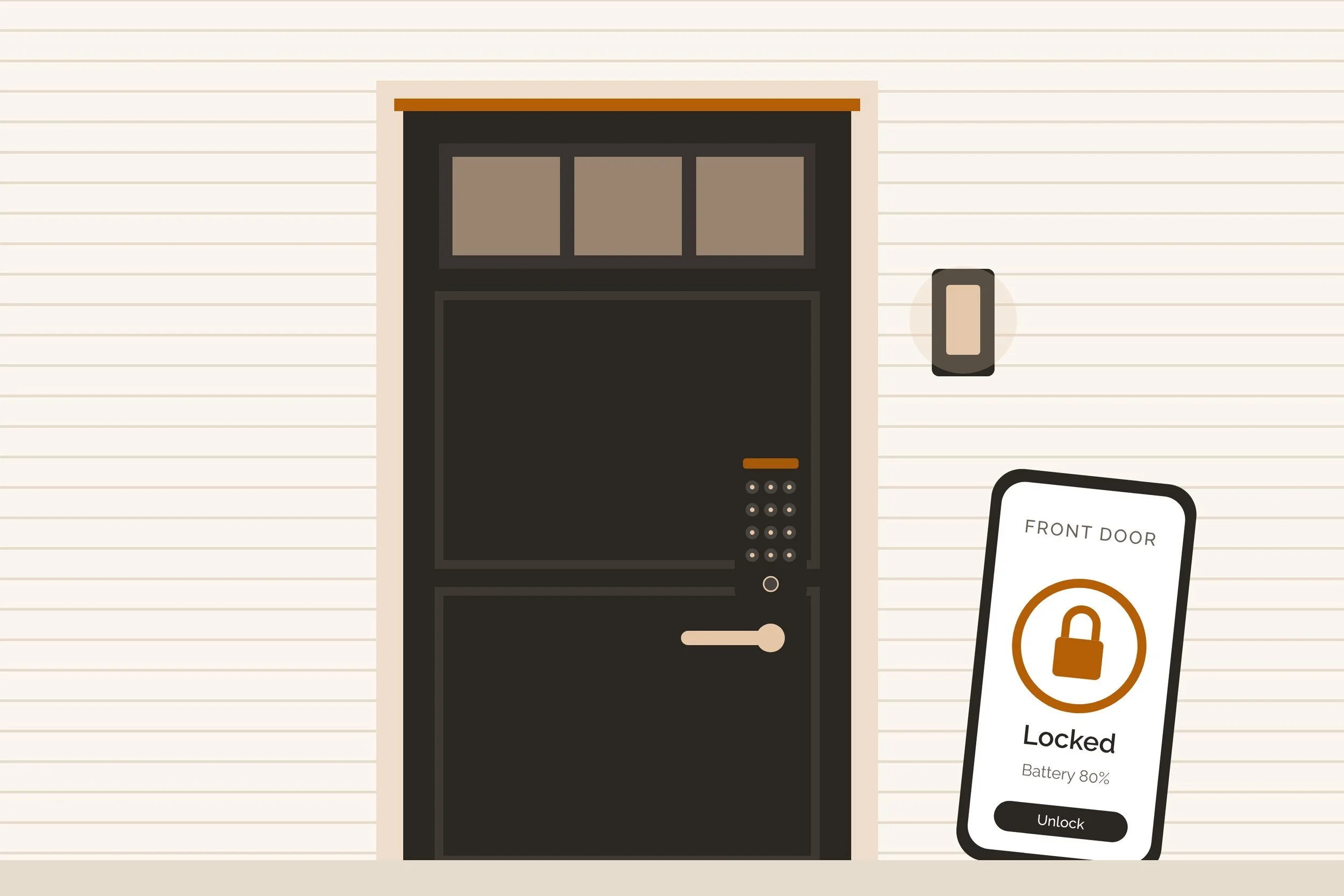
Short answer: a keypad deadbolt with Wi-Fi and AA batteries. Mine is the Yale Assure Lock 2.
Real answer: For most Seattle homeowners, I recommend a keypad deadbolt with built-in Wi-Fi that runs on AA batteries. The Yale Assure Lock 2 with Wi-Fi is the one I put on my own doors. Want to keep your outside hardware and keys? A retrofit like August goes on the inside only. The real differences are battery life, how the lock reaches the internet, and whether your phone can be the key.
Smart lock matcher
Which smart lock fits your door?
Tap your situation. The match updates as you tap, with my pick, a runner-up, a battery plan and a setup list. Nothing you pick leaves this page.
Your setup list
General homeowner information from my own doors and each maker’s product page (see Sources). Ratings are the makers’ own; I don’t take money from any lock brand.
I run smart locks on a Seattle home, a lake house and a golf-course place. They’re August, Yale and Schlage, plus a few I tried and pulled. Everything below is either from the maker’s own page or from living with these locks through Seattle winters.
Same thing, other names: smart lock, smart deadbolt, keyless entry, keypad door lock, electronic or digital door lock, Wi-Fi lock. A retrofit smart lock replaces only the inside half of a deadbolt you already have.
Start here
Pick the type of smart lock first, then the brand
5 kinds of smart lock sit on Seattle front doors. The type decides most of what you live with: the look from the street, the batteries, and whether you can still use a key.
| Type | What changes | Keys | Best for |
|---|---|---|---|
| Retrofit | Inside half of the deadbolt | Your keys still work | Renters, condos, doors you don’t want to change |
| Keypad deadbolt | The whole deadbolt | Usually one key cylinder | Most homes; guest and family codes |
| Fingerprint | The whole deadbolt | Usually a key cylinder | Kids and people who forget codes |
| Hidden (Level) | The whole deadbolt | Comes with keys | Clean look, Apple households |
| No keyway (Sense Pro) | The whole deadbolt | None; USB-C jumpstart | Hands-free iPhone unlock |
My rule: if you love your current hardware or rent your home, go retrofit. If you want a code pad for family, dog walkers or guests, go keypad deadbolt.
What I run
My picks after running 20 smart locks
Here’s where each brand landed in my homes. Everything marked “I run it” is on one of my doors today. The rest I’ve tested, passed on, or only know from the maker’s spec sheet.
- 1Outside: keypad and a key cylinder (most models)
- 2Inside: motor, batteries and the thumbturn
- 3Radio: Wi-Fi, Bluetooth or Thread
- 4Door sensor: tells auto-lock the door is shut
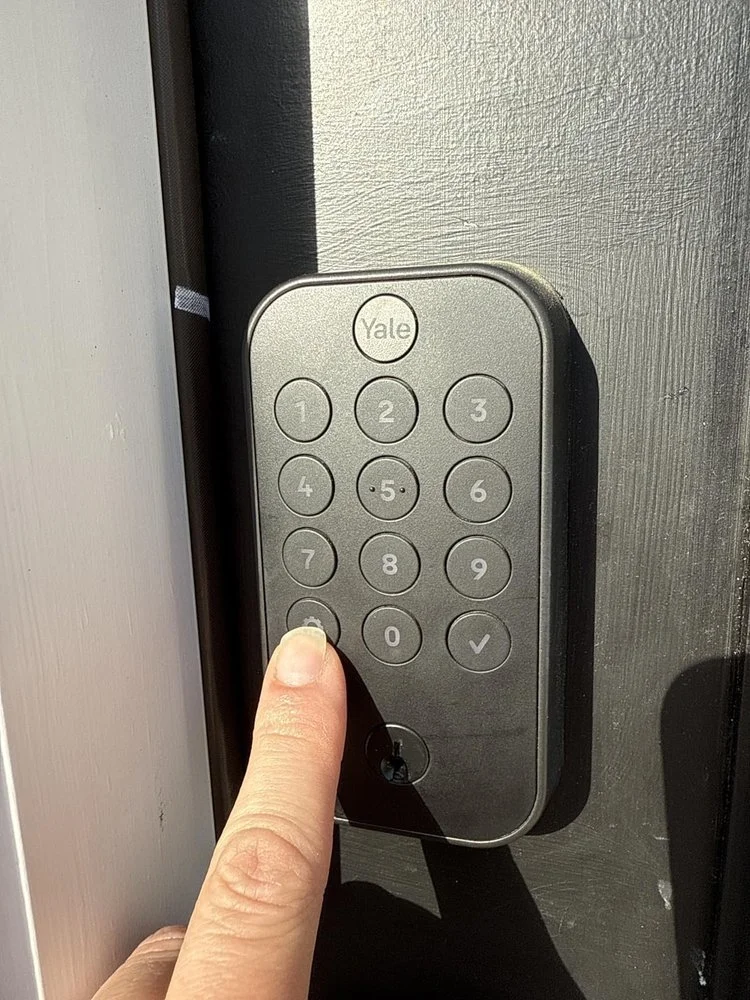
The one I recommend to most homeowners. AA batteries, Wi-Fi built in, a reliable app, and DoorSense so auto-lock knows the door is actually shut. On my multi-home setup, Yale and August sit in one app. Its only miss: Apple Home Key needs the Plus model.
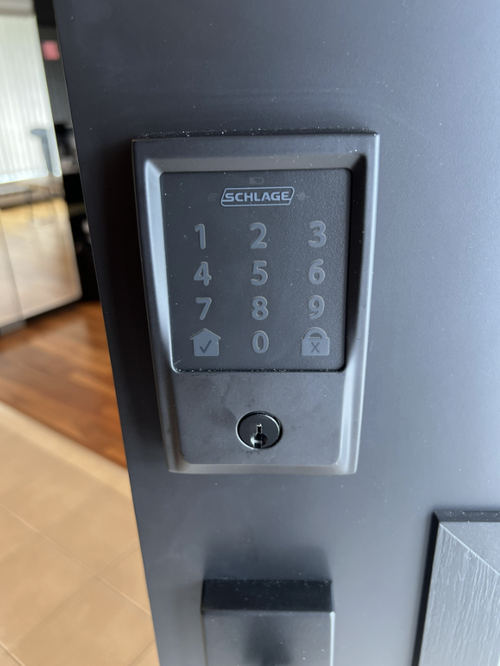
My longtime favorite for plain toughness. If locks were cars, Schlage is the Land Cruiser. The Encode Plus carries BHMA’s top AAA rating and Apple Home Key. Schlage says alkaline AA only, never lithium.
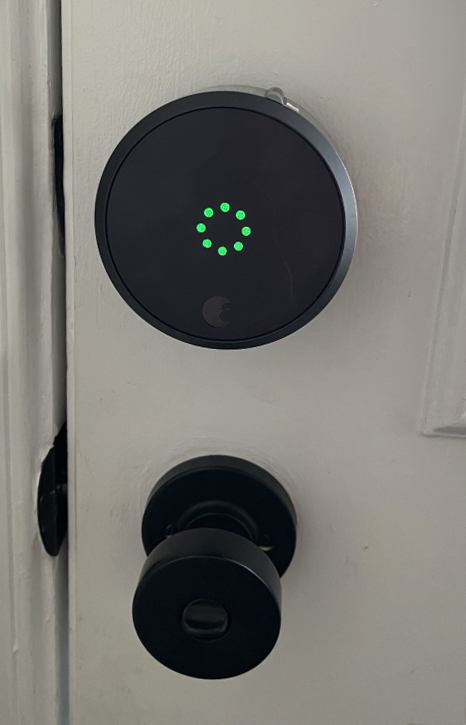
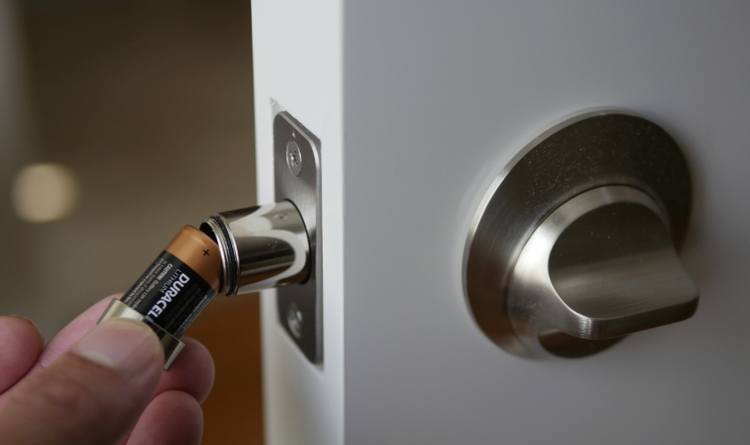
The minimalist’s lock. It replaces only the inside, so the outside of my Seattle door stays clean and my keys still work. The trade: 2 CR123 batteries rated up to 3 months, and a chunky inside housing.
Beautiful, and it looks like a normal deadbolt. Level rates it BHMA AAA and ANSI Grade 1. I still don’t love a battery living inside the bolt on doors I own or manage.
2 older Kwikset models in 2 homes gave me jams, a loud grind and quick battery drain. The newer Aura Reach (Matter over Thread, ANSI Grade 2) is a different lock. I haven’t lived with it.
Sense Pro (June 2026) unlocks hands-free with an iPhone and has no keyway at all. Nuki retrofits US deadbolts with no drilling and rates up to 12 months on Thread. Promising; not on my doors yet.
| Lock | Battery (maker’s rating) | Connection | Phone as key | Rating | My status |
|---|---|---|---|---|---|
| Yale Assure Lock 2 Wi-Fi | 4 AA, up to 1 year | Wi-Fi built in | Plus model only (Apple Home Key) | ANSI/BHMA Grade 2 | I run it |
| Schlage Encode Plus | 4 AA alkaline, up to 6 months | Wi-Fi built in | Apple Home Key | BHMA AAA | I run Schlage |
| Schlage Sense Pro | 4 AA, up to 6 months | Wi-Fi + Matter over Thread | Hands-free Apple home key; Aliro-ready | No keyway | On paper |
| August Wi-Fi Smart Lock | 2 CR123, up to 3 months | Wi-Fi built in | App and Apple Watch | Retrofit | I run it |
| Nuki Smart Lock | Up to 12 months on Thread (6 on Wi-Fi) | Matter | App | Retrofit | On paper |
| Level Lock Pro | 1 CR2 in the bolt, up to 1 year | Matter over Thread | Apple Home Key | BHMA AAA, Grade 1 | Passed |
| Kwikset Aura Reach | 4 AA | Matter over Thread | App | ANSI/BHMA Grade 2 | Older models: passed |
Ratings and battery figures are the makers’ own, from their product pages. Real battery life runs shorter on a busy door and in cold weather.
Batteries
Battery life is the real cost of a smart lock
Every smart lock on the market runs on batteries. The rating on the box assumes a quiet door and mild weather. A busy front door, Wi-Fi left on and a wet Seattle winter all cut into it.
What a dying battery looks like
At my lake house and golf-course place, I’ve had locks email me “battery low” every day for about 4 weeks before the batteries got swapped. If a door is far from you, pick the longest-rated battery and change it on a calendar, not on a warning.
- 1Match the battery type. Schlage says its locks aren’t compatible with lithium batteries; August asks for CR123 lithium and no rechargeables.
- 2Change them before winter. Yale notes extreme cold and heat affect battery performance, so fresh batteries in fall beat a warning in January.
- 3Calendar it. Put the next change on your calendar the day you install fresh ones.
- 4Keep a spare set by the door. Most low-battery warnings give you days, not hours, of runway.
Connection
Wi-Fi, bridges, Thread and Matter in plain words
Your phone talks to the lock one of 3 ways. All 3 work; they differ in what else you need and how fast the batteries drain.
Built-in Wi-Fi needs nothing else, and Nuki notes it gives the shortest battery life. A Wi-Fi bridge is a small plug-in near the door. Between 2022 and 2025 my August bridges sent me about 27 “offline” emails across 3 homes. So plug it close and on its own outlet. Thread is a low-power mesh made for locks and sensors. It needs a hub (an Apple TV, HomePod, Google Nest Hub or similar). It runs under Matter, the standard that lets one lock work with Apple, Google and Alexa.
What’s next: Aliro 1.0, a phone-as-key standard released February 26, 2026, is meant to let Apple, Google and Samsung wallets unlock any certified lock. Schlage says Sense Pro is Aliro compatible and expects Google and Samsung wallet keys once it’s certified.
Security
Are smart locks safe? Check the grade, keep a thumbturn inside
A smart lock is as strong as its deadbolt. The number to look for is the ANSI/BHMA A156.40 grade for residential deadbolts. It grades Strength and Security, Durability and Finish separately, each A, B or C. “AAA” is the top grade in all 3; Level calls it the highest standard for security, durability and finish.
2 more rules I hold to
Keep a plain thumbturn on the inside. The residential code says an exit door has to open from inside without a key or special knowledge. That’s 2021 IRC R311.2, which Washington adopts without changing that section. So skip locks that need a code or key to get out. And treat codes like keys: one per person, deleted when they leave.
- One code per personSo the app log shows who came in, and you can delete one without changing everyone’s.
- Turn on auto-lock with a door sensorAuto-lock without a sensor can throw the bolt into an open door.
- Keep the app and lock updatedUpdates are how makers fix the security issues they find.
- Keep a physical backupA key, or for keyless locks, the USB-C jumpstart and a charged power bank.
Lockouts
What happens when a smart lock battery dies
You won’t be locked out without warning. Every lock above warns you in the app and at the door for days or weeks first. If it does run flat, each lock has a way in:
- 01Warnings startApp alerts, beeps or a red light at the door.
- 02Use the keyMost keypad locks and every retrofit keep a key.
- 03Or jump itSense Pro has USB-C; some Yale models take a 9V on the front.
- 04Swap the batteriesFrom inside, then test the bolt.
Rentals and second homes
Smart locks for rentals, Airbnbs and second homes
Smart locks earn their keep on homes you aren’t at. From anywhere, you can give a cleaner, a contractor or a guest their own code and delete it when the job ends. The app log shows who came and went.
Landlords
If you’re a Washington landlord, the law asks you to provide reasonably adequate locks and furnish keys to the tenant. You must also safeguard any master or duplicate keys (RCW 59.18.060). A smart lock counts as a lock; treat its codes and app access like those duplicate keys.
Far-off homes
For a far-off home, choose built-in Wi-Fi or a Thread hub you trust, and the longest battery rating you can get. Add a door sensor so you know the door is shut, not just locked. More on that home: my Lake Cushman guide.
Buying or selling
Moving in or selling: reset, rekey and match your keys
Whatever a home came with, assume the last owner still knows a code. This is the list I send buyers after closing:
- 01Factory-reset the smart lockThen add your own codes and phones, and recalibrate.
- 02Buy any new locks firstSo the locksmith installs them in one visit.
- 03Rekey everything to one keyMatch the key type (Schlage, Kwikset or Yale).
- 04Add the mailboxAbout $75 more if the locksmith is already there.
Condos: some buildings treat a new lock as a change to the hallway look and want board approval first. Some use restricted keys only the owner on record can copy. Ask the manager before you buy.
Selling: leave the lock, remove your phones from the app, and hand the buyer the manual or model number. More on what to do before you move in: my move-in address checklist.
FAQ
Frequently asked questions about smart locks
Which smart lock is best for a front door?
For most homes, a keypad deadbolt with built-in Wi-Fi and AA batteries. I recommend the Yale Assure Lock 2 with Wi-Fi; Schlage Encode Plus if you want the toughest rating and Apple Home Key.
Are smart locks safe?
As safe as the deadbolt they’re built on. Look for an ANSI/BHMA A156.40 grade (AAA is the top), keep codes one per person, and keep the app updated.
Can a smart lock be hacked?
Any connected device can have flaws, which is why makers ship updates. The everyday risks are simpler: shared codes nobody deletes and old owners’ phones still in the app.
What happens if the battery dies?
You get days or weeks of warnings first. Then use the key, or jump keyless locks like Schlage Sense Pro with a USB-C cable.
How long do smart lock batteries last?
Makers rate 3 months (August Wi-Fi) to up to a year (Yale Assure Lock 2, Level Lock Pro). Wi-Fi, a busy door and cold weather shorten it.
Can I add a smart lock without changing my deadbolt?
Yes. A retrofit (August, Nuki, Level Bolt) replaces only the inside half, so your keys and outside look stay.
Which smart locks work with Apple Home Key?
Schlage Encode Plus, Level Lock Pro, Yale Assure Lock 2 Plus and Kwikset Halo Select Plus, among others. Schlage Sense Pro adds hands-free unlock.
Do smart locks work with Ring, Alexa or Google?
Most work with Alexa and Google. Matter locks (Kwikset Aura Reach, Level, Nuki, Sense Pro) work across Apple, Google and Alexa through one standard.
Do I need a hub or bridge?
Not with built-in Wi-Fi. Thread and Matter locks need a home hub such as an Apple TV, HomePod or Google Nest Hub.
Can I use lithium batteries in a smart lock?
Only if the maker says so. Schlage says its locks aren’t compatible with lithium; August’s Wi-Fi lock uses CR123 lithium cells.
Should I change the locks when I buy a house?
Yes. Factory-reset any smart lock, then have a mobile locksmith rekey everything to one key, mailbox included.
Can a renter install a smart lock?
Ask the landlord first; a retrofit is the easy yes because the outside and keys don’t change. In Washington the landlord is responsible for locks and keys (RCW 59.18.060).
The bottom line
Pick the type first, then the brand. For most Seattle front doors that means a keypad deadbolt with Wi-Fi and AA batteries. I put the Yale Assure Lock 2 on my own doors. Keep a thumbturn inside, give everyone their own code, and change batteries on a calendar.
Want help with the rest of the house? My smart home setup and the home care how-tos are a good next stop.
Sources
- Yale Assure Lock FAQs (battery life, temperature), Yale
- Yale Assure Lock 2 Touch with Wi-Fi, Yale
- Yale Assure Lock 2 Plus (Apple Home Key), Yale
- Schlage Encode Plus specifications, Schlage
- What type of batteries does my lock need? (Aug 19, 2026), Schlage
- Schlage launches Sense Pro smart deadbolt (June 16, 2026), Schlage
- Sense Pro FAQ, Schlage
- August Wi-Fi Smart Lock, August
- How to change your August smart lock batteries, August
- Nuki US debut (July 2, 2025), Nuki
- Level Lock Pro, Level
- Level Bolt, Level
- Kwikset Aura Reach, Kwikset
- Kwikset Halo Select Plus with Apple Home Keys, Kwikset
- Introducing Aliro 1.0 (Feb 26, 2026), Connectivity Standards Alliance
- Thread for the smart home, Thread Group
- ANSI/BHMA A156.40 residential deadbolts, Builders Hardware Manufacturers Association
- 2021 IRC R311.2 egress door, UpCodes
- WAC 51-51-0311 (Washington amendments to IRC R311), Washington State Legislature
- RCW 59.18.060 Landlord duties, Washington State Legislature